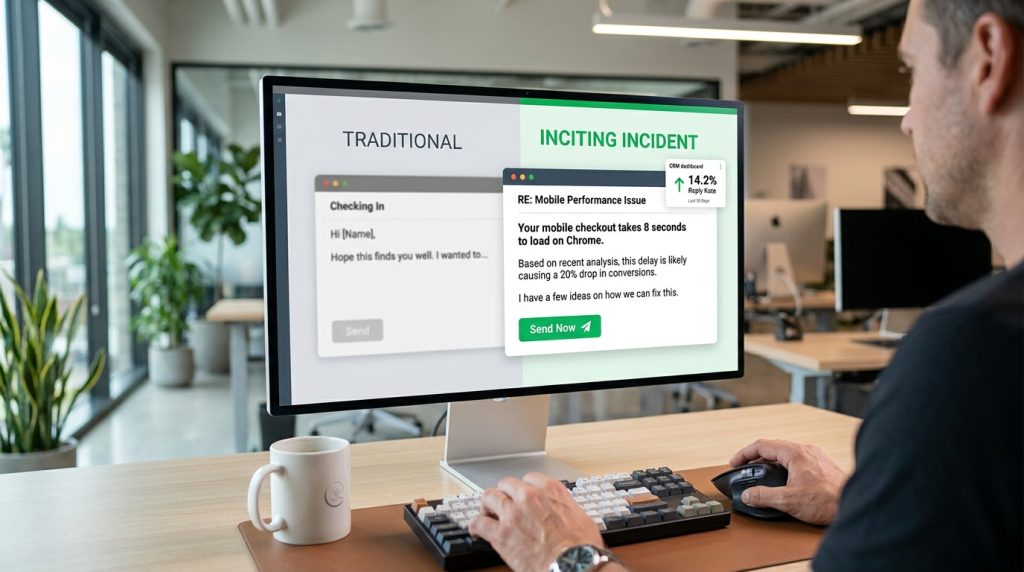

Stop wishing prospects a “happy Monday” or hoping your email finds them well; they know you’re a stranger trying to sell something, and fake politeness just highlights that you’re wasting their time. In my decade of building outbound sequences for Series A startups, I’ve seen that the only way to earn a reply from a busy executive is to start with an Inciting Incident. This is a specific, observable event or data point about their business that creates immediate tension. It forces the reader to acknowledge a gap in their current operations within three seconds of opening the message.
The Psychology of the Pattern Interrupt
Most cold emails follow a linear, boring path: greeting, self-introduction, value proposition, and a call to action. By the time you get to the point, the prospect has already archived the thread. When I coached an SDR team at a logistics firm last year, we saw their open-to-reply rates jump from 2% to 14% simply by moving the “reason for writing” to the very first four words of the email.
We stopped saying “I saw your LinkedIn post” and started saying “Your checkout page crashed.”
An Inciting Incident works because it mimics the way a real colleague or friend would contact them. If your house is on fire, your neighbor doesn’t start with “I hope you’re having a productive week.” They shout “Your roof is sparking!” That’s the level of urgency you need to manufacture with your opening line.
Mapping the Incident to the Prospect
You cannot automate an Inciting Incident with a generic “I love what {Company_Name} is doing.” You have to look for specific triggers that suggest a problem exists. In my experience, these triggers usually fall into three buckets: Growth Friction, Technical Debt, or Market Shifts.
| Trigger Category | What You Look For | The “Inciting Incident” Line |
| Growth Friction | New job postings for roles your software automates. | “I noticed you’re hiring three more SDRs for the London office.” |
| Technical Debt | Slow site speeds, broken links, or outdated tech stacks. | “Your mobile checkout takes 8 seconds to load on Chrome.” |
| Market Shift | A competitor just launched a feature they lack. | “Competitor X just added 1-click payments, but you’re still on 3-step.” |
How to Audit a Prospect for an Opening Line

I don’t spend thirty minutes on one lead. I spend three minutes looking for one specific “bruise.” A bruise is a small, visible sign that things aren’t perfect. If I’m selling a security product to a company like Stripe or Plaid, I’m not looking at their “About Us” page. I’m looking at their “Engineering” Twitter feed or their GitHub commits.
- Step 1: Check their “Careers” page. If they are hiring for a role, they have a pain point they are currently throwing money at to solve.
- Step 2: Look at their negative reviews on G2 or Capterra. What are their customers complaining about today?
- Step 3: Test their product. If it’s a SaaS tool, sign up for the free trial. Did the welcome email go to spam? That’s your Inciting Incident.
Examples of Inciting Incidents in the Wild
I’ve used variations of these lines to get meetings with VPs at HubSpot and Salesforce. Notice how they don’t ask for anything. They simply state a fact that the prospect cannot ignore.
- The “Hiring” Incident: “I saw you’re looking for a Head of Growth, but your current sign-up flow has a broken redirect on the pricing page.”
- The “Content” Incident: “Your latest blog post on AI is ranking page 2, but a 300-word Reddit thread is outranking you for the same keyword.”
- The “Financial” Incident: “Your Q3 report mentioned a 5% dip in churn, yet your user forums are flooded with ‘how to cancel’ threads this morning.”
Why Specificity Beats Personalization
Everyone talks about “personalization,” but usually, that just means mentioning where the prospect went to college. No one cares that you both like the Chicago Bulls. In fact, it feels manipulative. I’ve found that relevancy beats personalization every time.
If I tell a CTO, “I saw you went to Stanford,” they think I’m a creep.
If I tell a CTO, “Your API documentation for the Ruby integration has a typo in the second paragraph,” they think I’m an expert who can help them.
| Personalization (Weak) | Relevancy/Inciting Incident (Strong) |
| “Congrats on the Series B funding!” | “Now that you’ve hit Series B, your AWS spend is likely scaling 2x faster than your headcount.” |
| “I loved your podcast episode about leadership.” | “You mentioned on the podcast that you’re struggling with dev-cycle lag; I noticed your latest release was 3 weeks late.” |
| “Great post about the future of Fintech.” | “Your latest Fintech update didn’t include the new SEC compliance rule that goes live Friday.” |
Writing the “Second Sentence” Bridge
The Inciting Incident gets the email opened and read, but you’ll lose them if you don’t bridge to your solution immediately. You have to connect the observation to the outcome. I call this the “So What?” bridge.
If your first line is “Your site is slow,” your second line shouldn’t be “We sell hosting.” It should be “That lag is likely costing you 15% of your mobile conversions based on industry averages.”
- State the incident.
- Explain the cost of inaction.
- Offer a low-friction fix.
Avoiding the “Gotcha” Tone
There is a fine line between being helpful and being an annoying critic. When I write these lines, I avoid sounding like I’m grading their homework. Use “I noticed” or “I was curious about” rather than “You are doing X wrong.”
Bad: “Your SEO is terrible and you are losing money.”
Good: “I was browsing your site and noticed the ‘Get Started’ button doesn’t work on Safari. Since that’s your main conversion point, I thought I’d flag it.”
The second version creates a “gift” of information. You’ve provided value before you’ve asked for a single minute of their time. This builds instant authority.
Testing Your Own Incidents
To see if your opening line works, send it to yourself and look at it on a mobile phone. On an iPhone, the preview text shows about 15 to 20 words. If those 20 words include “Hi, my name is” or “I’m reaching out because,” you’ve failed.
Your preview text should look like a notification from a system or a concerned colleague. “I noticed your checkout page…” is much more likely to get a tap than “Hope you’re having a great…”
Realistic Metrics to Expect
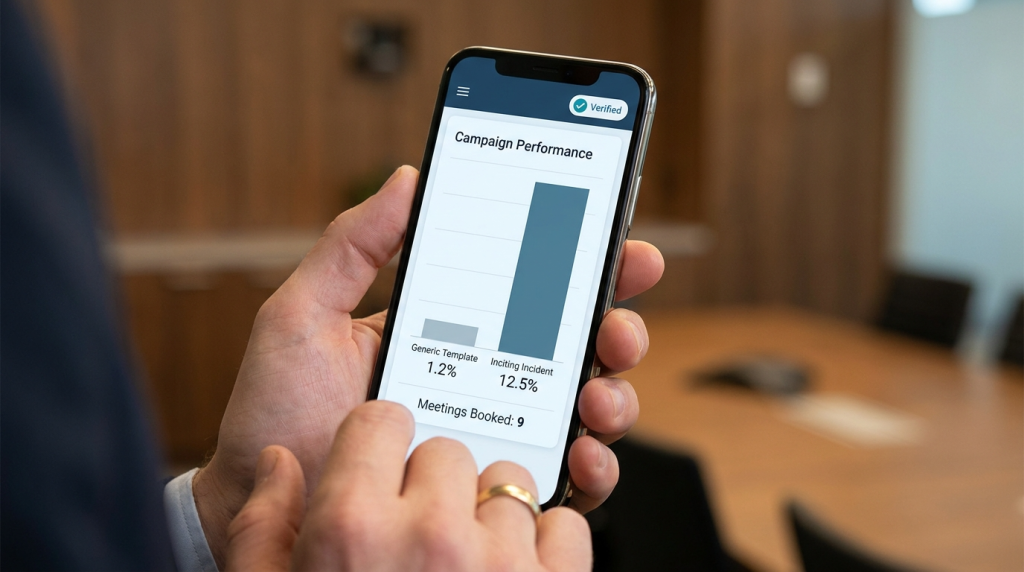
When you switch from “Pleasantry” openings to “Inciting Incident” openings, your metrics will shift. You might see a slight dip in total emails sent because these take more research, but your efficiency will skyrocket.
- Standard Cold Email: 20% Open Rate, 1% Reply Rate.
- Inciting Incident Email: 45%+ Open Rate, 8-12% Reply Rate.
I once spent four hours researching 20 high-value leads and wrote 20 hyper-specific incidents. I got 9 meetings. If I had sent 200 generic emails in those same four hours, I likely would have gotten zero or maybe one. Quality research is the only way to bypass the “noise” of modern inboxes.
Structuring the Rest of the Message
Once the incident is laid out, keep the rest of the email under 75 words. People read cold emails while standing in line for coffee or sitting in meetings. If they see a wall of text, they close it.
- Inciting Incident: (The observation)
- The Bridge: (The “So what?”)
- The Evidence: (One sentence on how you solved this for a similar company like Slack or Zoom)
- The Soft CTA: (Ask for interest, not time. “Worth a chat?” instead of “Can we talk Tuesday at 2pm?”)
Stop treating prospects like a list of names and start treating them like a series of problems waiting to be solved. If you can identify the problem before they even realize it’s hurting their bottom line, you don’t need to “sell” them at all; you just need to show up.